How to Check a Telegram Username Before Buying Stars
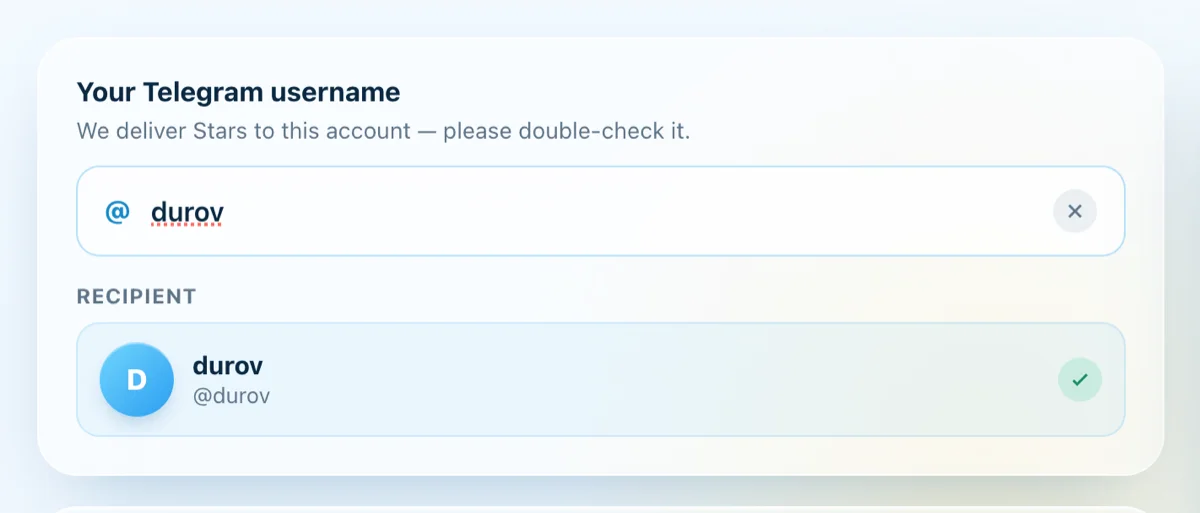
To top up Telegram Stars, all you need is the recipient's exact @username — the Stars are delivered straight to that account the moment payment succeeds. Because the process is automatic and irreversible, typing the wrong username means sending Stars to the wrong account. This guide shows you how to check and verify a Telegram username — both your own and the recipient's — before you place an order.
Username vs. Display Name
This is the most common mix-up that leads to misdelivered Stars:
- Display name: the name you see at the top of a chat. It can be duplicated, contain spaces or accents, and be changed anytime. It is not used to deliver Stars.
- Username: a public handle in the form
@yourname, unique across all of Telegram, made up only of letters, numbers, and underscores. This is what Stars are sent to.
In other words, two people can both display the name "Nam," but @nam_hcm and @nam2008 are two completely different accounts.
How to Check Your Own Username
On mobile (iOS and Android):
- Open Telegram → go to Settings.
- Your username appears right under your name as
@yourname. Tap Username to view or edit it. - If the Username field is empty, you don't have one yet — set a username before asking someone to send you Stars.
On desktop / Telegram Web: go to Settings → Edit Profile and look at the Username field.
Tip: open
https://t.me/yournamein a browser — if it opens your own account, the username is active and working.
How to Check the Recipient's Username
If you're sending Stars to someone else, get the username directly from them instead of typing it from memory:
- Open the person's profile in Telegram — the username sits just under their display name.
- Or ask them to send you their
t.me/...link and copy the part after the/as the username. - Type
@usernameinto Telegram's search bar — if the right person shows up (correct photo, correct name), the username exists and is correct.
Note: usernames are not case-sensitive (@Nam and @nam are the same), but every character must match — one extra or missing letter or underscore points to a different account.
Verify Instantly on saotelegram.com
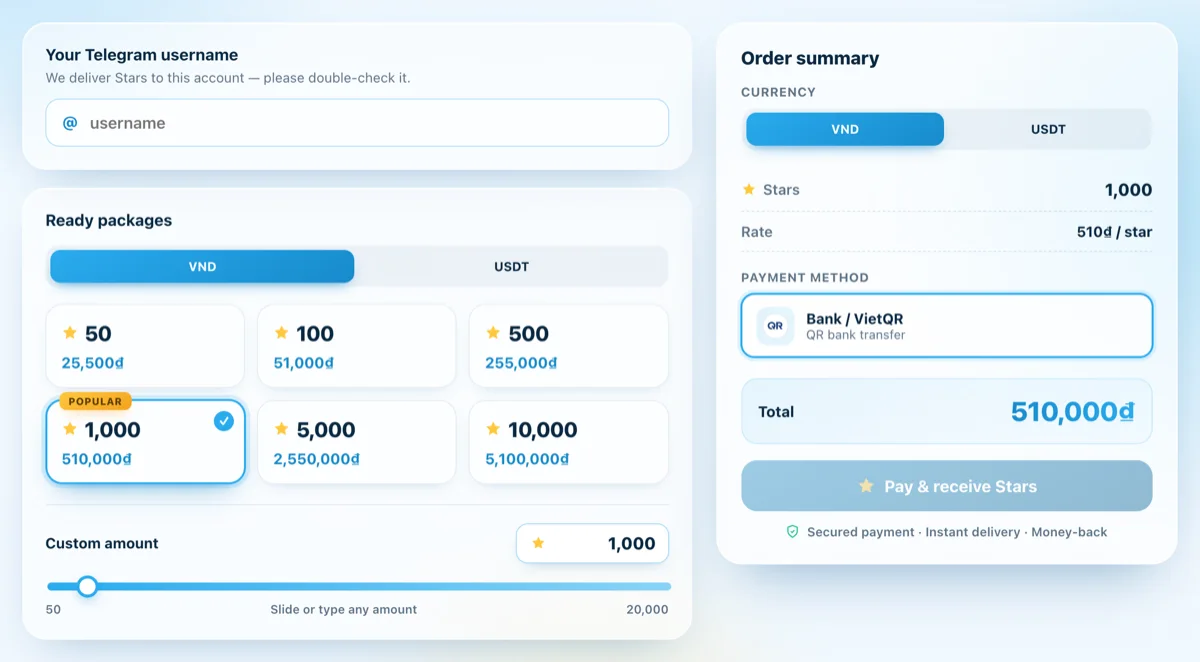
The most reliable approach is to let the system verify it for you. At saotelegram.com, when you enter a @username in the recipient field, the page automatically looks it up and shows the matching account (profile photo + name):
- The right person appears → go ahead and place your order with confidence.
- "Not found" → the username is wrong, doesn't exist, or the account was renamed. Double-check before paying.
This verification happens right in your browser, with no login, password, or OTP required — all you need is the correct public @username.
Why Verify Before You Pay?
Stars are delivered automatically to whatever username you enter, so a typo sends them to a stranger and is very hard to recover. A few minutes of checking saves you from losing money:
- Match the username against the recipient's real profile — never type it from memory.
- Confirm it in the lookup field on saotelegram.com before hitting pay.
- When sending to someone else, ask them to share their
t.me/...link directly.
Once you've verified the right username, you can buy Telegram Stars at saotelegram.com and receive them in minutes — paying via VietQR, MoMo, card, or USDT.